Създаване на сървър ↗Ръководство с екранни снимки: сървър (VPS) за вашите стратегии за 5–10 минути — на 10 езикаВъншна база данни SupabaseСъздайте безплатен Postgres и го свържете с акаунт само за четенеЗареждане на публични данниЗареждане на безплатни данни като страх и алчност, хешрейт, лихви и други във вашата база данни и използването им в стратегииСъбуждане в реално време с RedisСтратегията реагира в момента, в който пристигне нова стойност — собствена инсталация, няколко сървъра или безплатна управлявана услугаПърви стъпки с forex (MT5)Бектест с MT5 сметката на вашия брокер и изпълнение в симулация → демо → реална сметкаРегистриране на устройства за защита на кодаКак да определите и проверите кои устройства могат да отварят защитено запазения код на стратегиитеWhen your agent goes offlineMove to a new server and reconnect keys and runs after the server stops or is reclaimedP2P WebSocket API (на английски) ↗Свържете своя бот или скрипт към P2P демона и получавайте потвърдени сигнали WATCH TOGETHER — клиенти за JavaScript и Python
▶ Step-by-step videos (YouTube) ↗

Follow along from install to your first strategy. The YouTube playlist opens in a new tab.

Market data & exchange premium

Live prices

The server aggregates prices from multiple exchanges and streams WebSocket deltas. If a sequence number is missed, the client refetches the full snapshot so the screen never sticks to stale values.
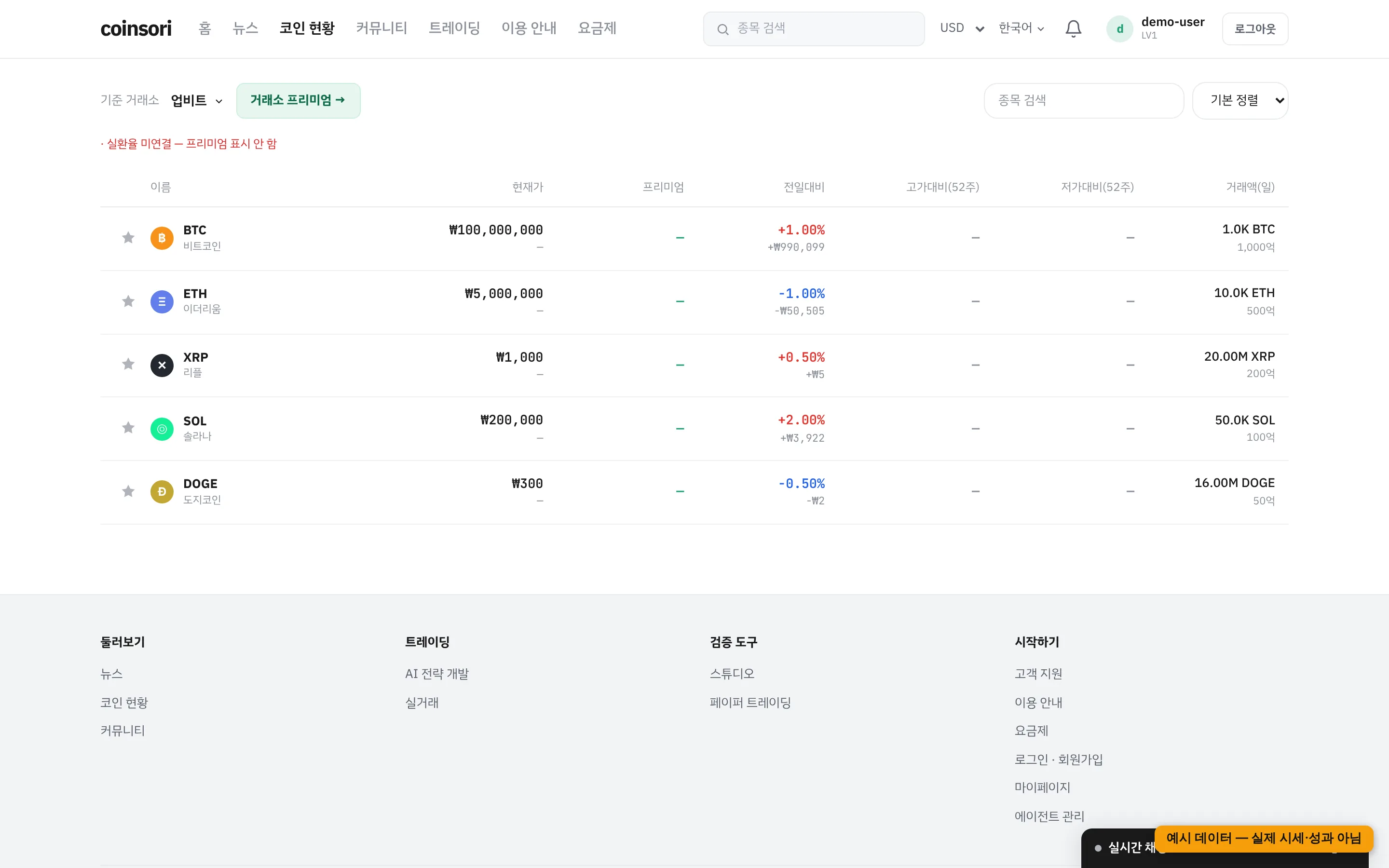
Coin board — premium stays blank without a real FX rate (sample data)

Exchange premium

The percentage gap between Korean and global exchange prices. soritrading computes it with the real USD/KRW FX rate — converting via KRW-USDT would mix USDT's own price swings into the premium. If the FX source is down, the premium is left blank (never estimated).

Charts

Candles come from soritrading's own store with realtime WebSocket updates.

Up/down colors follow different conventions around the world, so the default comes from your display language — Korean and Japanese, Chinese (Simplified and Traditional) and all other languages each use the scheme common in that region. If you are used to another scheme, pick it under the language menu or in My Page (each option shows its color swatch). When logged in it is normally saved to your account and follows you across devices; otherwise it is saved on this device — the picker shows where it was saved. Charts, order books and return figures all follow the same setting; errors and warnings use their own fixed color regardless of it.

Display currency & timezone

Change them in My Page. Defaults are automatic (browser timezone, locale-based currency); converted values are marked with ≈ alongside the original amount.
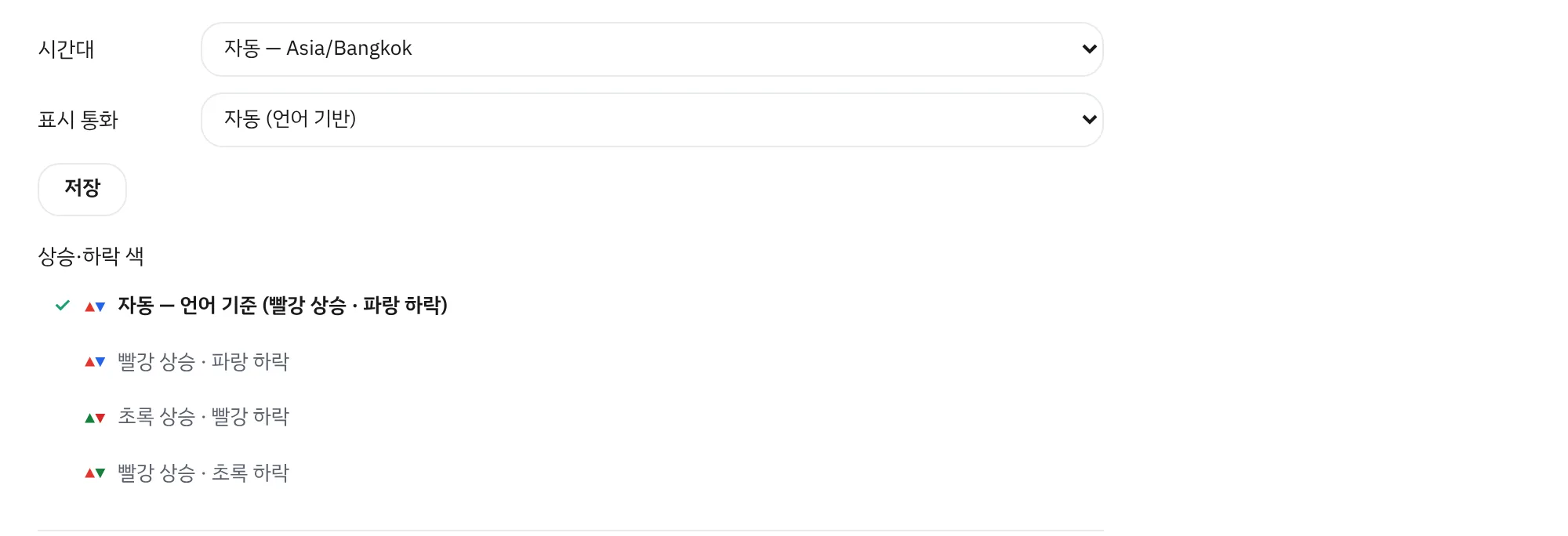
My page — timezone, display currency, up/down colors
coinsori
Започнете лесно с имейл